After updating its iPhone app with a new interface and features, Tesla has released its equivalent 4.0.0-644 app for Android users.

Image via ‘cumbird’ on Reddit
Here’s what’s new in this Tesla Android app update, that’s currently rolling out in the Google Play Store:
- Refreshed vehicle and energy homepage
- Streamlined Summon experience
- Enhanced phone key support – vehicle no longer needs to be selected
- Send commands to vehicle immediately upon opening app
- Use Go Off-Grid to seamlessly disconnect your home from the Grid with Powerwall
- Shop the Tesla catalog and view and manage your orders (available in select countries)
- View Supercharging history and ability to pay outstanding Supercharging or service balance (available in select countries)
If you’re not seeing the Tesla 4.0 update yet, you can try this APKMirror link to download it. Normally, the Google Play Store staggers releases so you may have to wait a while. Let us know if you’re seeing the new Tesla app in the Google Play Store on your Android smartphone.
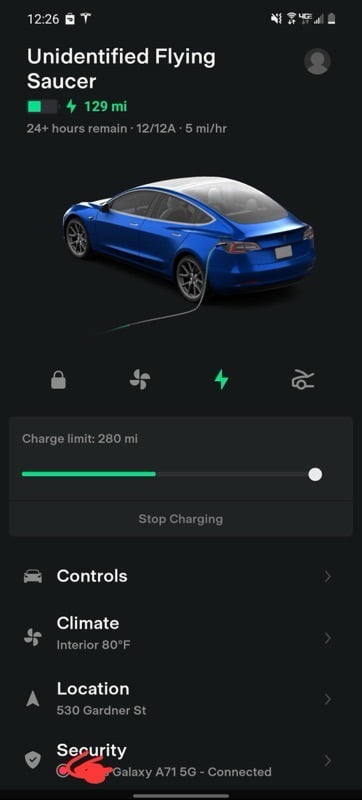


New Tesla app version with my new Model Y (aug 20). Perfect!
Not really fond of signing up for yet another account to use APK Mirror )-:
Brand new ’21 MY and even newer S21 Ultra, but not being offered to me. Stuck on v3
9/1/2021 Still not in Android Play Store. Only old 3.10.14
Late on 9/3 still nothing. I have it side loaded but no official update.
Did you do the apk thing and if so, did it work?
Thanks
Yes, I did the APK Mirror thing, installed that app and downloaded the file and it is working and communicating with the car just fine, I even did an update on the car itself via the app. I’m not entirely sure what to do when the official Google Play version comes out, I figure I’ll uninstall the APK first and then do the official update.
Thanks for the reply. Probably to uninstall what you have and install the “real” app would be best. Of course, if the “real” app turns out to be flawed, you can go to the apk. I’m gonna try the apk later today.