Credit: SpaceXSI
Grok Bot can now work with the Calendar, Reminders, Contacts and other built-in apps on your phone, according to the official @bot account. SpaceXSI announced the update on Thursday at 3:14 PM PT and said it is rolling out now on both iOS and Android.
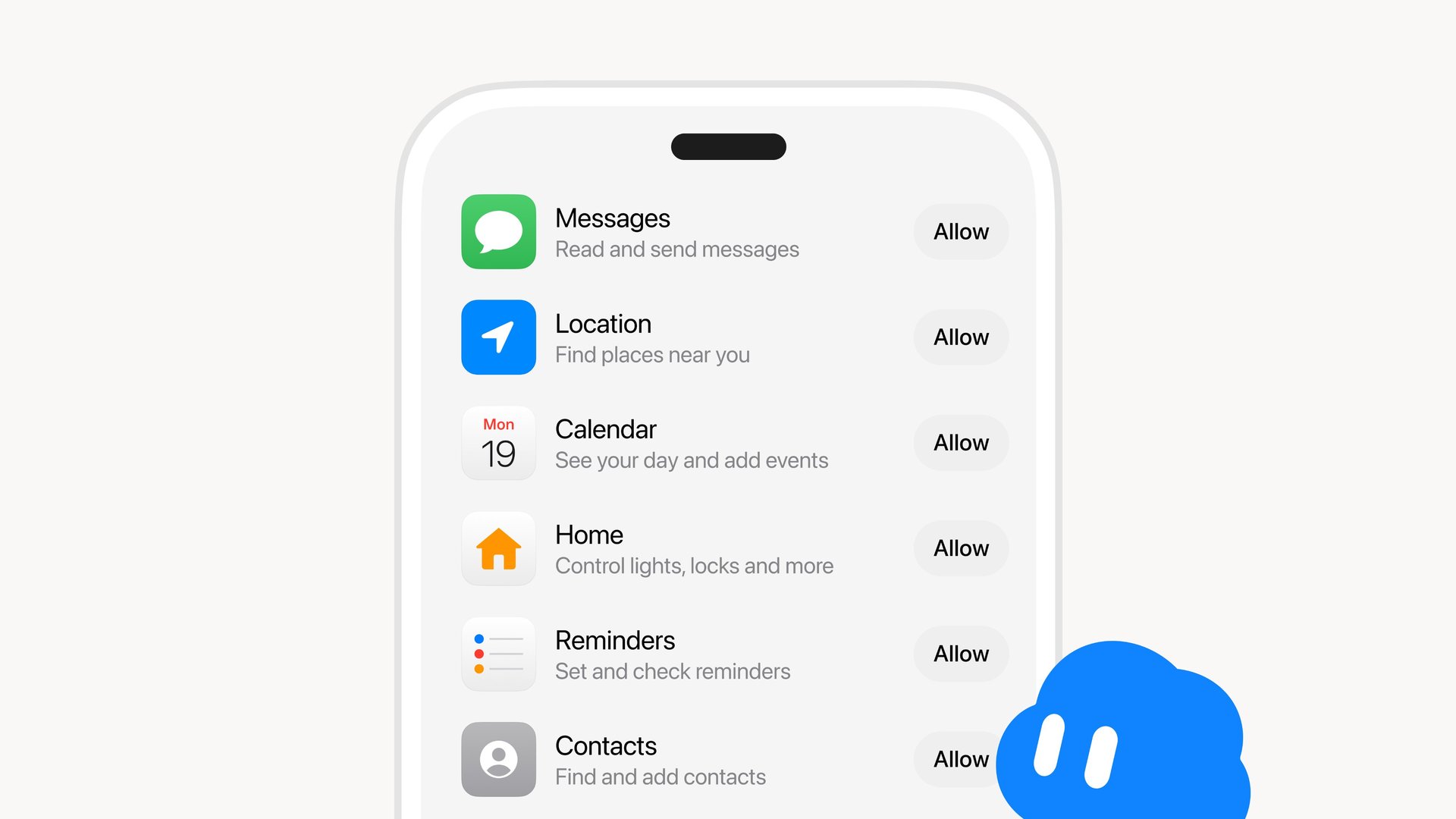
The image attached to the post shows a permissions list with an Allow button next to each app. Messages is listed for reading and sending messages, Location for finding places near you, Calendar for seeing your day and adding events, Home for controlling lights and locks, Reminders for setting and checking reminders, and Contacts for finding and adding contacts. SpaceXSI didn’t say whether every app on that list is available on both platforms, or which app version you need to see the new options.
Based on that screen, you grant access app by app, so you decide how much of your phone the Bot can reach. That matters for an agent like Grok Bot, which runs tasks on its own cloud computer instead of just answering questions. Until now it mostly worked through connected accounts like email and X, and access to the phone itself lets it act on the things people actually keep there, like their schedule and their address book.
It’s the latest in a quick run of phone features for the Bot this week. On Monday, Grok Bot landed on the iPhone Action Button for one-press voice chats, and a day later SpaceXSI showed it handling X DMs and working as the default Android assistant. Put together with today’s update, that should let you press a button, ask the Bot to move a meeting or add a reminder, and let it handle the rest without opening the app.
Tesla owners have seen a version of this in the car already. Last month Tesla gave in-car Grok access to your email, calendar and files, and Grok Bot can also be reached through Grok in the Model Y and Cybercab. With calendar and contacts now open on the phone side too, the same assistant could follow you from your pocket to the driver’s seat.
Would you let Grok Bot into your calendar and contacts?