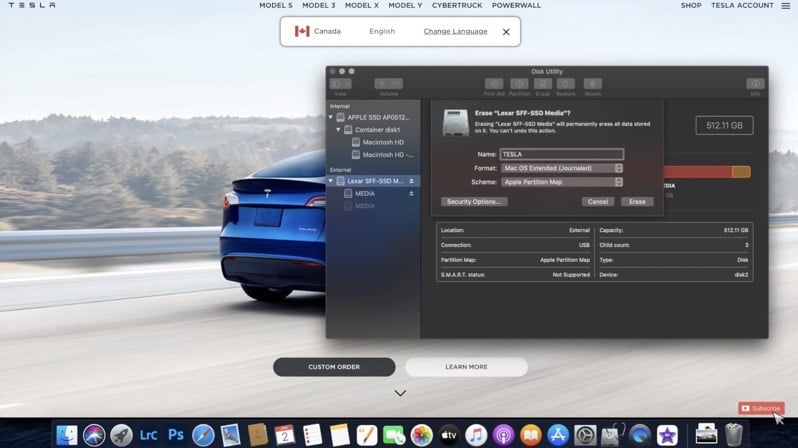
Canadian YouTube channel Northern Tesla has shared some excellent video tutorials detailing how to properly format your USB or SSD to use in your Tesla for Sentry, DashCam, Boombox and Music.
If you’re a macOS user, check out the video below:
For Windows users, instructions on how to similarly format your USB for TeslaCam, Boombox, Sentry and more is below thanks to Mother Frunker:
Other articles in the category: Tesla
Tesla Replaces Coal: $330M Battery Goes Live in Australia
A new grid-scale battery powered by Tesla Megapacks is now officially online in Queensland, Australia, marking another major milestone for the company’s fast-growing energy storage business. As first reported by Energy-Storage.News, publicly owned energy company CleanCo Queensland has opened the Swanbank Battery Energy Storage System (BESS), a 250 MW/500 MWh facility located at the former […]
Tesla Launches $450 Mezcal: 50 Lucky Buyers Get Signed Boxes
Tesla is back in the spirits game — this time with a design-forward twist. The company has quietly launched a new Tesla Mezcal | Design Studio Edition in the U.S., priced at $450. The limited-run bottle leans heavily into Tesla’s design ethos, complete with a specially crafted box sleeve that features early sketches of the […]
Last Call: Tesla Is Officially Ending One-Time FSD Purchases
If you’ve been thinking about buying Tesla’s Full Self-Driving (Supervised) software outright, this is your last call. After February 14, Tesla will officially discontinue the one-time purchase option for FSD in the U.S., moving the advanced driver assistance system to a subscription-only model. That means the current $8,000 upfront purchase option — available either when […]